
In the previous lab, we discussed selection. In this lab, we’ll work with iteration, the third of the three basic control structures. When you built animations, you were implicitly using iterative behavior, but Processing did the iteration for you. In this lab you’ll program your own iteration.
Processing provides statements that support a number of forms
of iteration. One common form is the counting for
loop.
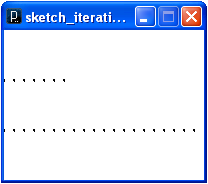
|
void setup() {
  size(200, 150);
  background(255);
  strokeWeight(3);
  noLoop();
}

void draw() {
  // Draw a dotted line manually.
  point(0, 50); point(10, 50); point(20, 50); point(30, 50);
  point(40, 50); point(50, 50); point(60, 50);  // ...

  // Draw a dotted line with a loop.
  for (int i = 0; i < width; i+=10) {
    point(i, 100);
  }

}
|
|
Flowchart: 
|
Pattern: for (initialization; loopCondition; stepExpression) statement
|
This code draws dotted lines, manually and then with a counting
loop. The manual version is a hopelessly tedious task of setting
the coordinates for each point separately. The counting
for loop provides a more compact way of expressing
processes that involve counting. Note that this program uses the
noLoop() statement to tell processing to turn off its
iterative calls to draw(). That allows it to
implement its own non-animated loops.
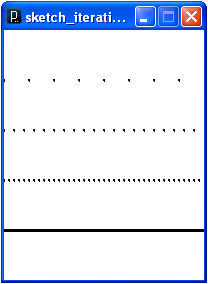
|
void setup() {
  size(200, 250);
  background(255);
  strokeWeight(3);
  noLoop();
}

void draw() {
  drawDottedLine(25, 50);
  drawDottedLine(10, 100);
  drawDottedLine(5, 150);
  drawDottedLine(1, 200);
}

void drawDottedLine(int increment, int y) {
  for (int i = 0; i < width; i+=increment) {
    point(i, y);
  }
}
|
This code draws a number of dotted lines, culminating in a
solid line made from points. The drawDottedLine()
method uses parameters to encapsulate the essence of drawing a
dotted line.
When designing and implementing iteration, be careful to ensure that your loops terminate. A non-terminating loop is called an infinite loop. Sometimes, we’d like our loops to go forever, as is the case with operating systems, but usually we need them to terminate in a “reasonable” amount of time.
Beware, it can be difficult to stop an out-of-control loop once it has started running.
for (int i = 1; i <= 10000; i++) {
  print(i + " ");
}
for (int i = 1; i > 0; i++) {
  print(i + " ");
}
for (int i = 1; i > 10; i++) {
  print(i + " ");
}
for (int i = 1; i > 10; i = i + 0) {
  print(i + " ");
}
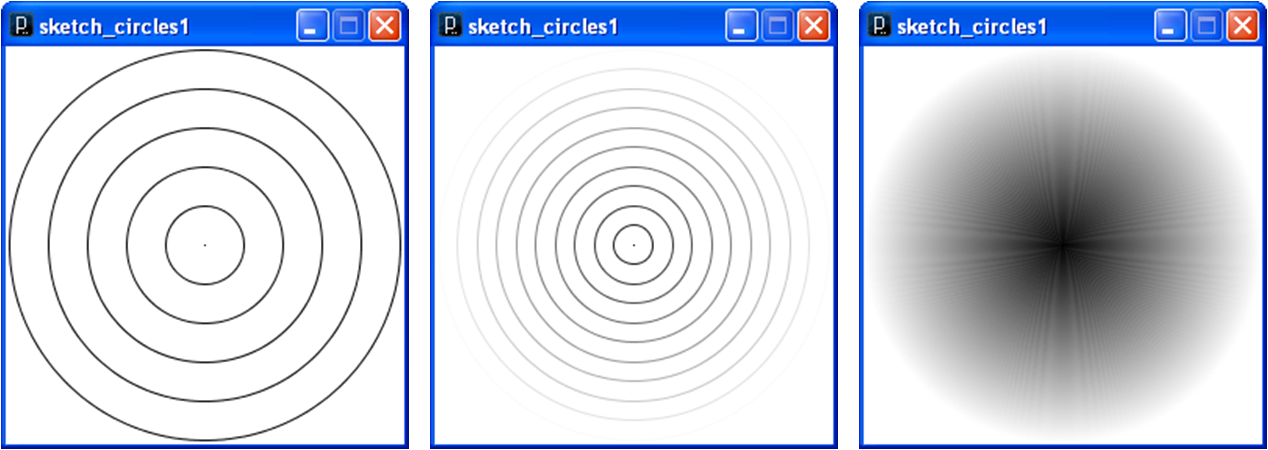
We can draw other figures using loops.
for
loops that draw the following figures:
Now that you understand the three basic control structures, you are ready to use them in combination to design your own computations. Computations are a combination of two things:
As the goals for your programs become more complicated, it becomes valuable to design your data structures and algorithms before you start programming. It can then implement them by translating them into programs that the computer can understand and execute. Note that you algorithms must be carefully crafted; computers may be fast, but they are notoriously dumb in a number of ways:
Submit your code for the lab exercises and include a screen capture for each.